In the automotive postings there are a bunch of jackasses who feel that they need to list their vehicle with a bunch of 'keywords' so that their vehicle is displayed to people who MIGHT be interested in it.
Consider this lovely F-150. The owner thought that someone interested in a Ford Probe might consider buying a pickup:
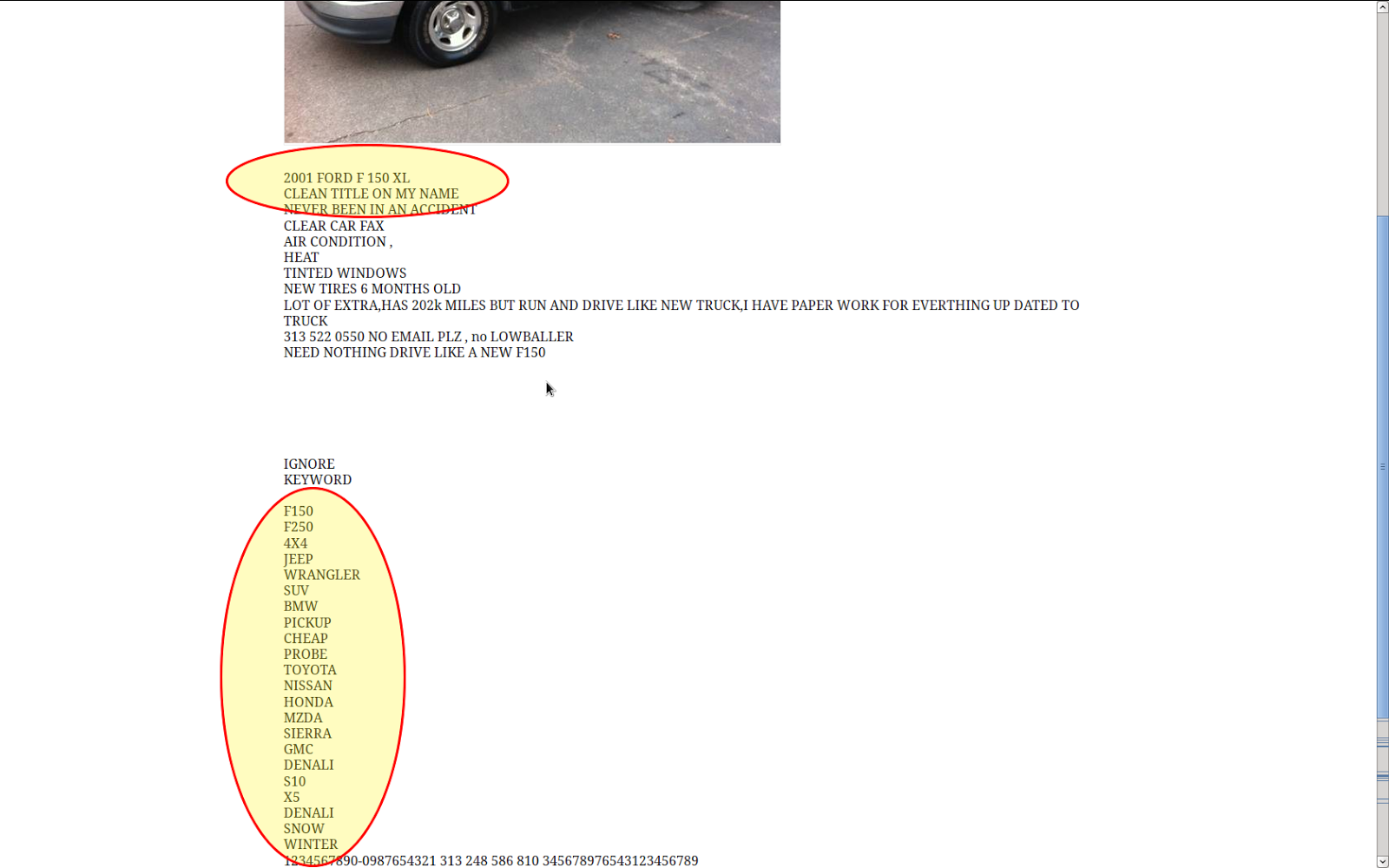 |
| This guy was really clever to add all of these keywords to his ad. |
Because of these people, your search results will often look like this:
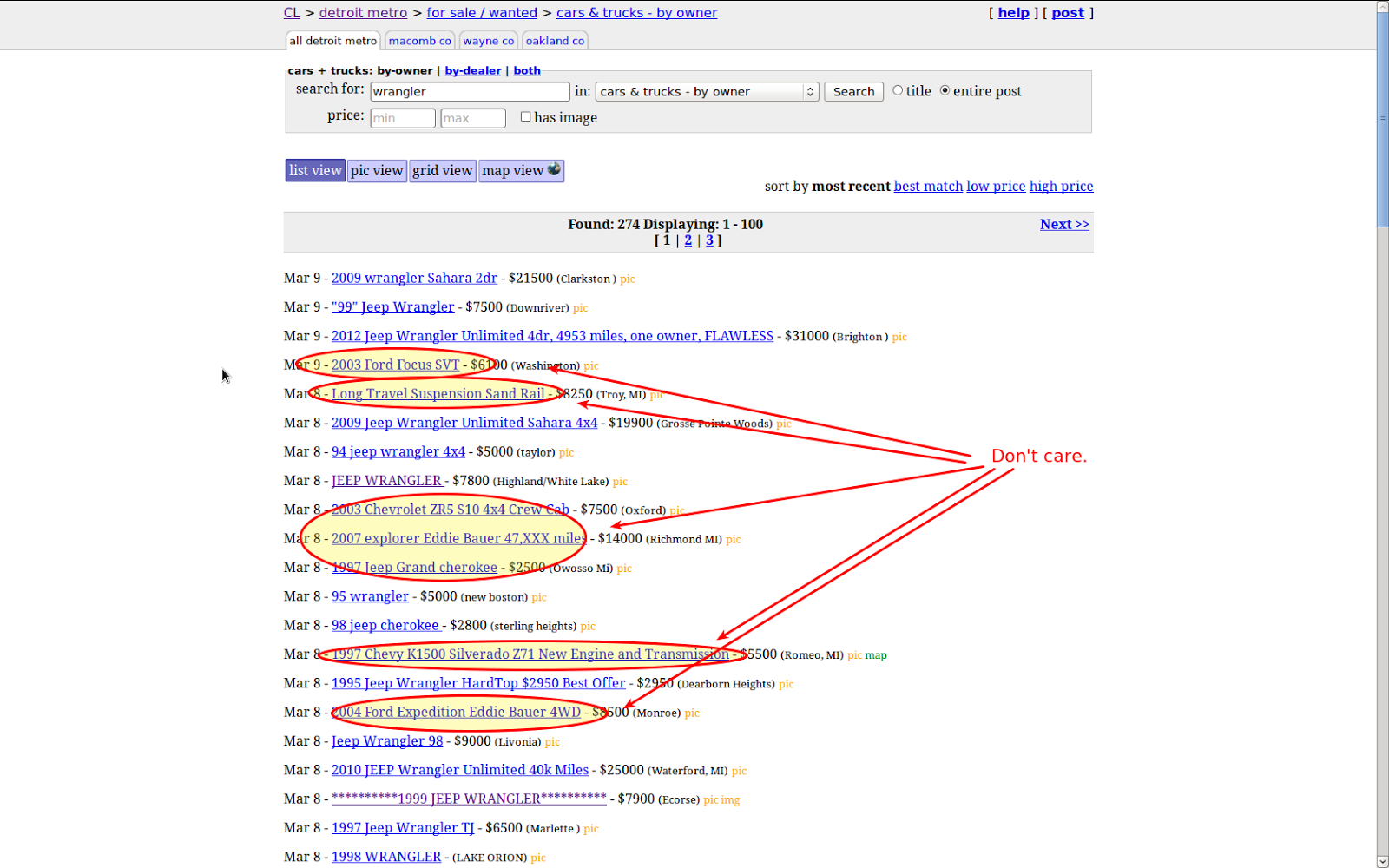 |
| I'm trying to find Jeep Wranglers for sale and I don't care about this crap. |
Well, fortunately if you have Greasemonkey, there is a way to do this. I searched userscripts.org and found the Craigslist Live Filter by Sam Rawlins. Sam has posted the source at Github also, which is awesome as I'll explain in a minute.
After installing Sam's script, the first thing I noticed was that it was written to EXCLUDE results. That is, what you are searching for can be minimalized in one of two ways:
1. The script will make it gray and in a smaller font
2. The result will simply be hidden from view.
This *will* do what I want but it makes my search a little more tedious. In this case I'd need to have a regex to get rid of the crap above, something maybe like:
Focus|sand|explorer|cherokee|silverado|expedition
In this case what I'm searching for will be REMOVED from the results by Sam's script.
Instead, I want the tool to show me only what I WANT and exclude the other crap. So, I've added an 'invert' checkbox to his script and I checked in the result at Github.
Now, since I'm interested in only 1997+ Jeep Wranglers, I can enter a regex like this:
199[789]|20\d\d.*wrangler
If you're not familiar with regular expressions, I could go on for another hour about how cool this little meta language is... Instead I'll just explain that the above awesomeness means that I want to look for the text "199" followed by a 7, 8, or 9. This means the following will produce a positive hit:
1997
1998
1999
Further, the pipe (|) means OR, and I continue by saying that I'm also interested in the text "20" followed by two digits (\d means any digit character). Then I say that the script is allowed to match ANYTHING (.) as MANY TIMES AS IT WANTS (*).
So at the end of the day, I'm looking for 1997-1999 OR 20xx with the word wrangler somewhere in the title.
Here is what the script looks like in action:
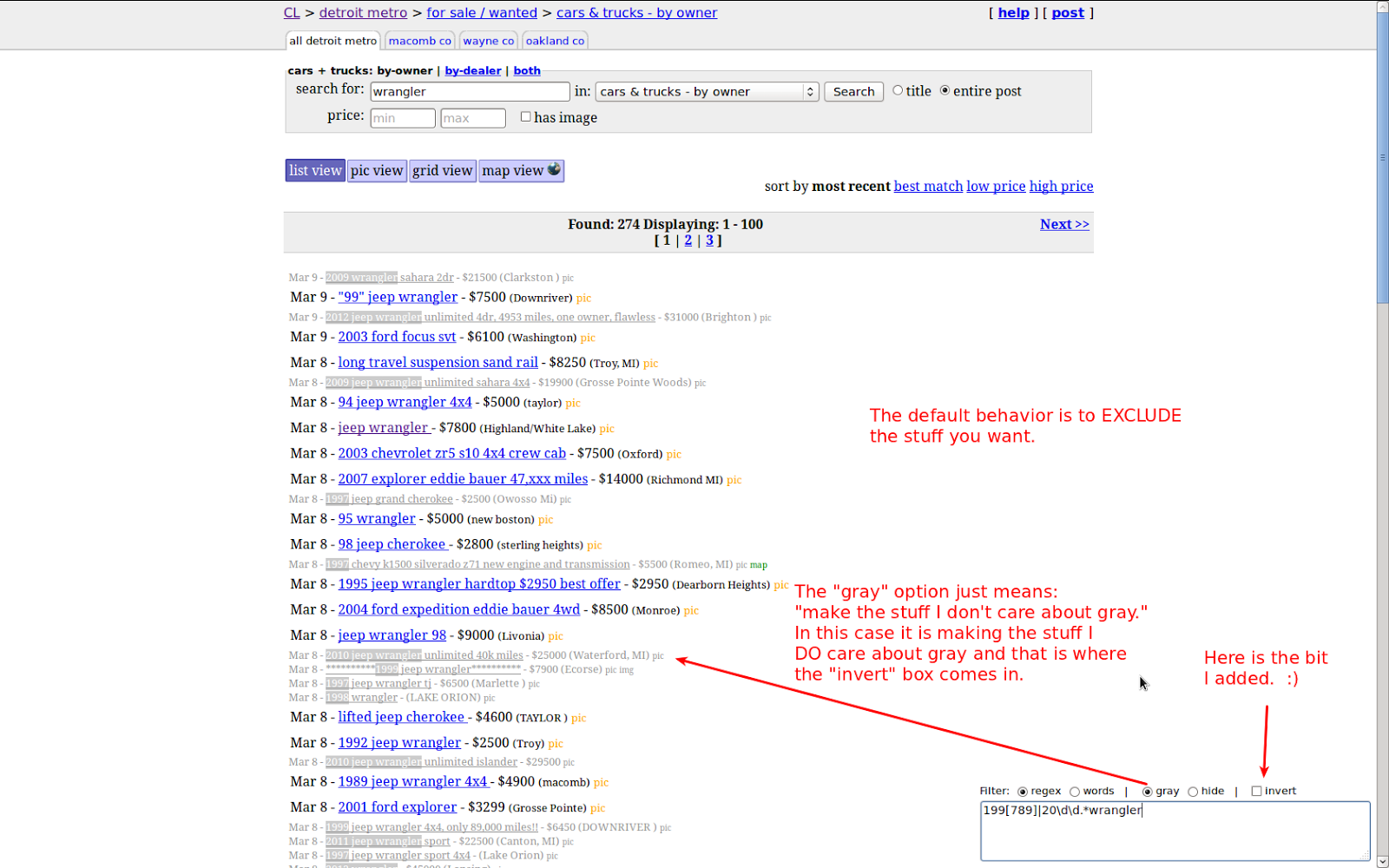 |
| Sam's script in action, with my "invert" feature added but not used yet. |
Now let's "invert" the search results and only show what we WANT:
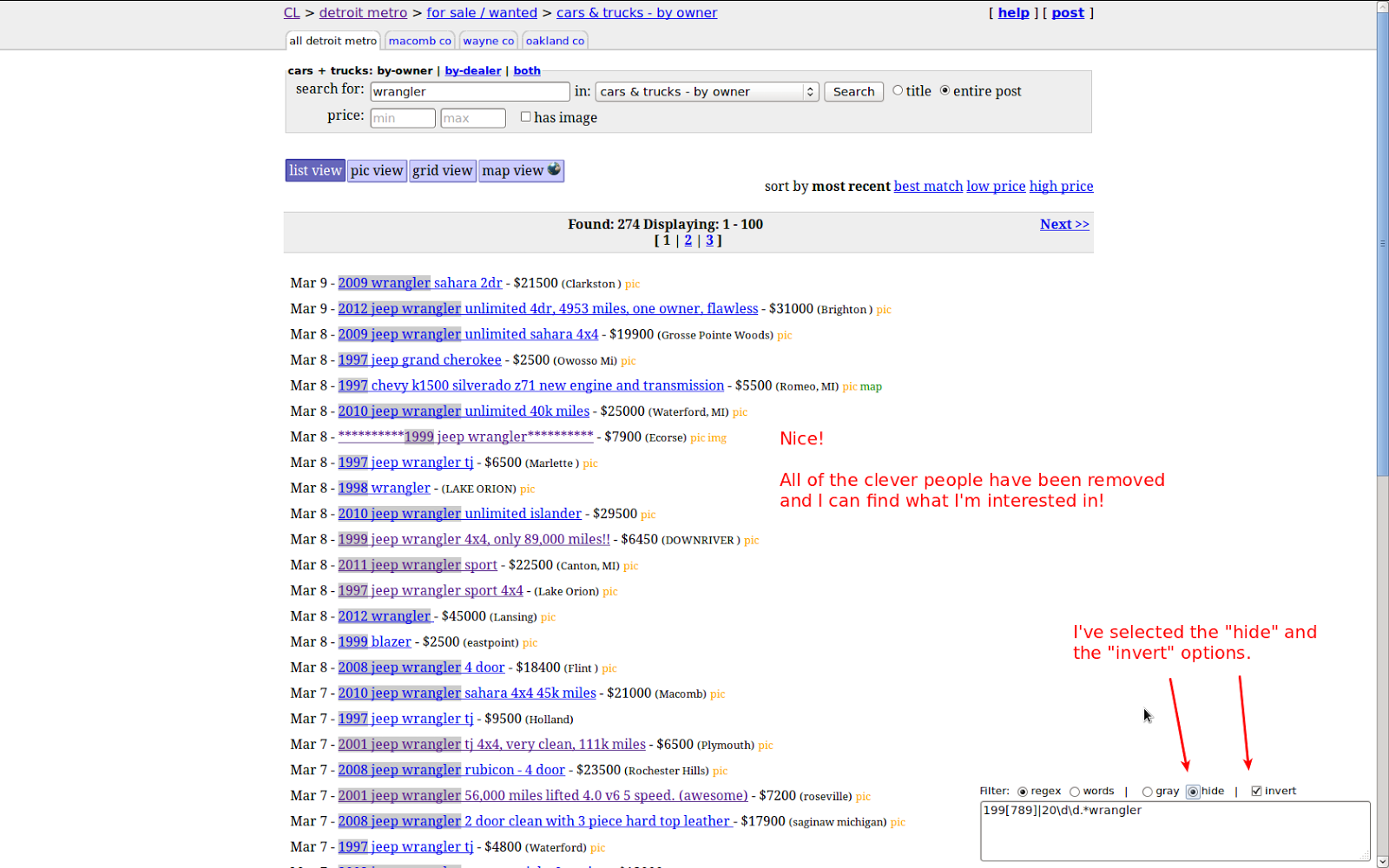 |
| Invert feature in use. |
So how do you get this awesomeness? You need:
- Firefox
- Greasemonkey Extension
- Craigslist Live Filter script or
- my fork of the Craigslist Live Filter script with the Invert option
